Checks for common Webex problems.
OmniCanary Assurance’s catalog covers licensing, devices, workspaces, telephony, and security. Administrators create named policies from catalog checks — the same check can be used more than once with different settings and targets: Amsterdam rooms on Amsterdam time, Riyadh rooms on Riyadh time. Each check explains what it examines, why it matters, and what fixing it does before you add it.
Join the launch list
Product and availability updates. Not a stream of marketing email.
double opt-in: we send a confirmation email first, unsubscribe any time
directory & licensing
№01 · Doubled-up licenses
License combinations your administrator has defined as unnecessary. This check runs after those rules are set and is not enabled by default.
what fixing it does · Actions releases the duplicate assignments after one named approval
№02 · People whose name is blank or is their email addresssupports dismissal
People whose first, last or display name is blank or is just their email address. Naming conventions, single-name users, and service accounts can be dismissed as valid exceptions.
№03 · Foreign-domain accounts
Accounts whose email domain is not on your organization-wide approved-domain list — one list for the whole org, confirmed by your admin in the portal (candidates come prefilled).
№04 · Empty workspaces
Workspaces with no assigned device. Review whether the workspace should remain active or bookable.
№05 · Workspaces without a scheduling address
Workspaces that do not have a calendar scheduling address.
what fixing it does · Actions restores the scheduling address with a preview first
№06 · Silent meeting rooms
Meeting rooms in which every assigned device is offline. Scheduled meetings may be affected.
automate it · a workflow alerts the room owner and opens a follow-up the moment a room goes silent
№07 · Phones assigned to inactive people
Phones still assigned to a deleted or inactive user.
what fixing it does · Actions unassigns the phone after a named approval
№08 · Firmware behind the fleet
Connected devices that have fallen behind the newest firmware release running on devices of the same kind and update channel in your fleet. Webex updates devices automatically — a device that stays behind usually has a pinned version in Control Hub or a blocked path to the update service.
automate it · a workflow proposes a maintenance window when a device falls behind
№14 · Phones that never connected
Phones that have never connected to Webex. A wrong MAC address is one possible cause.
device telemetry
№09 · Offline microphonessupported device families only
Supported microphones that have stopped reporting. Unsupported device families and temporary collection errors are shown separately.
№10 · Wrong working days or hoursneeds your working hours, not pre-enabled
Devices whose working-day schedule differs from the schedule configured by your administrator.
what fixing it does · Actions corrects the schedule on supported devices, previewed per device
№11 · Wrong timezoneneeds configuration
Devices whose timezone differs from the one you set on that policy — add it once per region and choose which locations or devices each copy watches.
what fixing it does · Actions corrects the timezone on supported devices after approval
№12 · Room temperature above your thresholdinformational
Supported room devices reporting a temperature above the threshold you choose (28°C unless you change it). This is informational and is not a hardware-failure diagnosis.
automate it · a workflow opens a facilities ticket when a room stays hot for two hours
flagship
№13 · Meetings licenses with no hosted-meeting activityrequires Pro Pack + a separate analytics connection
People with a Meetings license who have not hosted a meeting in the selected 90-day period. Requires Pro Pack and a separate analytics connection. It does not read meeting content or attendance.
what fixing it does · Actions releases the unused licenses — each person listed by name before anything happens
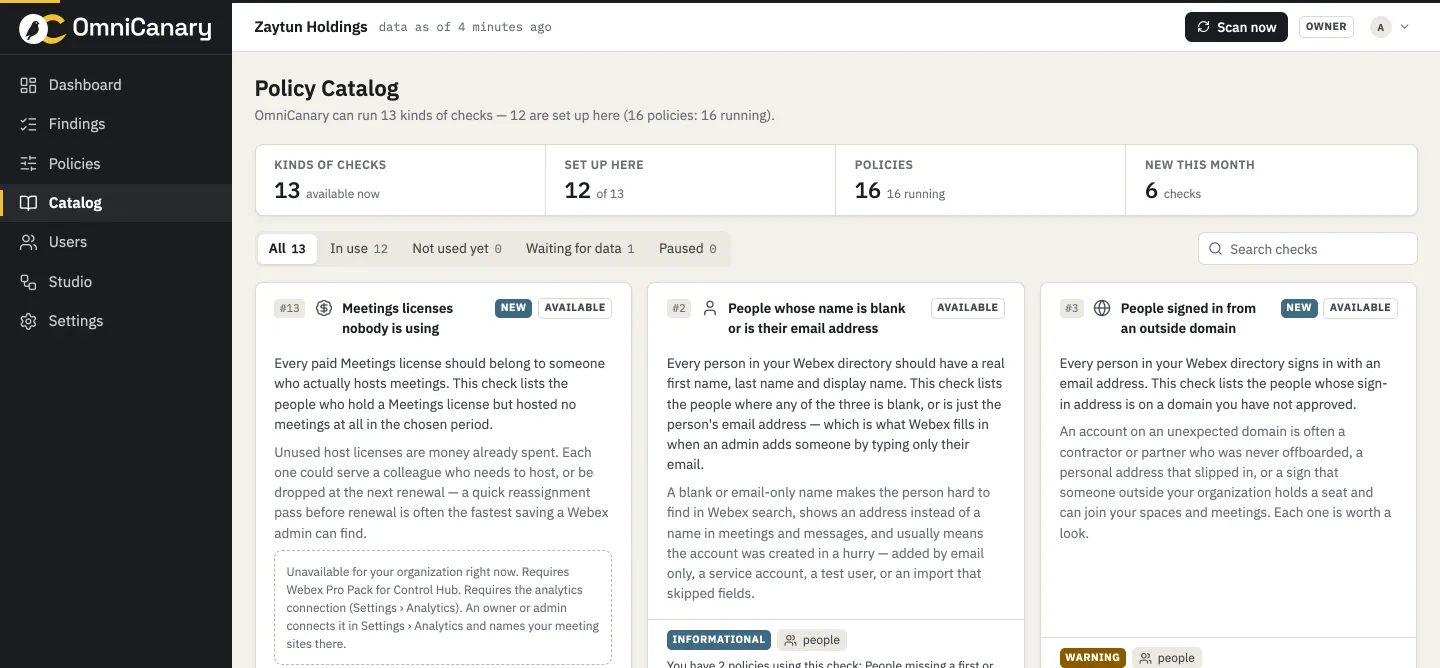 example · anonymised
Build a calmer Webex operation.
Tell us about your Webex environment and the work you want to improve. Onboarding opens in scheduled waves. Join the launch list for availability updates.